SDKs & Elements
Outdoor map components, ready for your product
The SDKs & Elements are typed clients for every Mountaya API, and elements that draw the map, the elevation profile and the segment table. TypeScript and React install today. Swift, Kotlin and Flutter are in early access.
Works with the tools you already use


 Apple Health



 Other MCP clients
Map, profile and table
One course on the map, in a profile and in a table
The map, the Elevation Profile Element and the Segment Table Element read the same course, so pointing at one shows the same place in the other two. This one is the Patrouille des Glaciers, from Zermatt to Verbier.
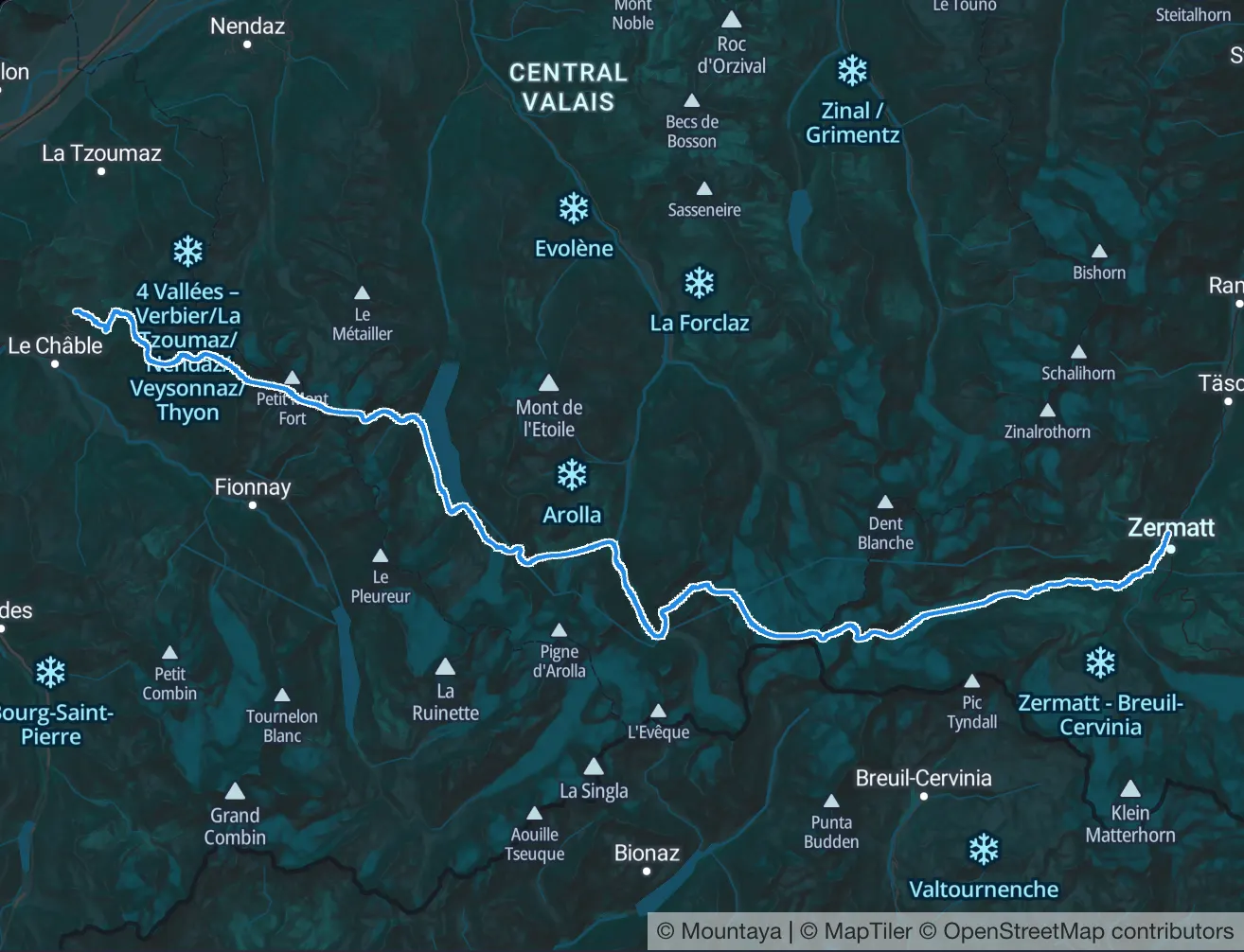
Segment table of the Patrouille des Glaciers course, one row per segment from Zermatt to Verbier, each with its distance, climb, descent and altitude range.
- Distance
- 55.9 km
- Ascent
- 4,235 m
- Descent
- 4,365 m
- High point
- 3,643 m
The map follows the profile
Move along the profile and a card gives the distance, the altitude and the climb so far at that point. A marker follows on the map.
Waypoints on the profile
The course's waypoints are pinned on the profile at their own distance, and each segment is summed up underneath.
Each row lights its segment
Pointing at a row of the table lights that segment on the map. Pointing at the course on the map lights its row.
One set of figures
Each segment's distance and climb are computed once, on our servers, from the full track. The table, the profile and the map state the same numbers.
Integration
Four steps from an empty file to a map on screen
Install the packages, mint a session token on your server, call the API and draw the result. The code shown is TypeScript, as it ships today.
 TypeScript
 React
 Swift
 Kotlin
 FlutterTypeScript
Install
MapLibre installs beside the elements, at the exact version their map worker is built from.
npm install @mountaya/client @mountaya/elements maplibre-gl@6.18.0Authenticate
A publishable key is safe in a browser and is all the map needs. The Data API also takes a session token on every request, minted on your server from your secret key.
// On your server, and only there: a secret key can never reach a browser.
import { Mountaya } from "@mountaya/client";

const secretKey = process.env.MOUNTAYA_SECRET_KEY;
if (secretKey === undefined) {
  throw new Error("MOUNTAYA_SECRET_KEY is not set.");
}

const client = new Mountaya({ credential: { secretKey } });

const { data } = await client.admin.sessions.postSession({
  body: { publishable_key: "pk_…" },
});

// Return data.token and data.expires_at to the browser. The token is short-lived.Call
Each operation is one typed method. The Data API is GraphQL, and the client writes the query for you.
import { Mountaya } from "@mountaya/client";

const client = new Mountaya({
  credential: { publishableKey: "pk_…", sessionToken },
});

const route = await client.data.directions({
  activity: "HIKING_AND_TRAIL",
  waypoints: [[6.8712, 45.9231], [6.9271, 45.9822]], // Chamonix to Argentière
});Render
Hand the client to the map and it signs its own tile requests.
import { Mountaya } from "@mountaya/client";
import { MountayaMap } from "@mountaya/elements";
import "@mountaya/elements/styles.css";

const client = new Mountaya({ credential: { publishableKey: "pk_…" } });

const map = new MountayaMap({
  container: "map",
  client,
  center: [6.86, 45.83],
  zoom: 12,
});

// All three return a promise: they fetch a specification through the client.
await map.setItinerary(itineraryId);
await map.setOverlay("aspectslope");  // exclusive: replaces the previous overlay
await map.addEnrichment("hillshade"); // additive: stacks underneath
Under the hood
Details the packages handle for you
Types, keys and queries live inside the packages. No call site repeats them.
Real types, real dates
Timestamps come back as Date objects. Every resource, parameter and enum type is exported from the package root, generated from the schema.
Browser-safe keys
Publishable keys go in the browser and secret keys stay on your server. The browser entry has no field for a secret key, so the mistake does not compile.
You never write a query
The Data API is GraphQL. Each operation is a typed method that sends a generated selection, so the result comes back complete and typed.
No framework required
MountayaMap is a plain class from @mountaya/elements. Vue, Svelte, Angular or no framework at all draw the same map.
What will you build with the SDKs & Elements?
Tell us what your product needs to draw. We show you the SDKs & Elements that draw it.
Frequently asked questions
Libraries you install to build on Mountaya. Typed clients call the Map Studio API, the Data API and the Tile API. Elements draw the result: the map with its renderer, the elevation profile and the segment table. They are source-available under the Mountaya SDK License. You can read every line you ship.
TypeScript and React ship today, for the clients and for the elements. Swift, Kotlin and Flutter are in early access: their modules are specified and generated from the same schema, with nothing to install yet. Go, Python, Java, Ruby and PHP clients are planned.
No. The elevation profile and the segment table render on their own, in a dashboard, a sidebar or a report. Put a map beside them and they drive it: pointing at the profile moves a marker along the course.
You install MapLibre beside the elements, at the exact version their map worker is built from. The elements build the renderer and sign its requests, and your application holds one copy of it. Build the map instance yourself only when you want to hand it in.
Below version 1.0, a minor release may rename or remove an operation, and the changelog names every change. From 1.0, a published operation id is frozen, because it is a method name in every language, and retiring one takes a deprecation of at least 180 days and two minor releases. The client records the schema tag it was built from.